





JSDefender

slash-separator

JavaScript Obfuscator

JSDefender hardens JavaScript against reverse engineering, tampering, and unauthorized debugging.
JSDefender header 1

80% of Fortune 500 Dev Teams and Developers use PreEmptive.

The Global Standard for In-App Protection

slash-separator-grey
Microsoft
Merrill-Lynch-logo
Barclays-Logo.svg 1
Boeing_full_logo.svg 1
Symantec_logo

Why your JavaScript needs JSDefender?

Every line of JavaScript you ship is readable by default. Anyone with a browser can inspect your business logic, extract proprietary algorithms, and reverse engineer what took you years to build. JSDefender helps prevent that.
Protect what you’ve Built
Layered obfuscation makes it exponentially harder for bad actors to extract and replicate your business logic.
layered obfuscation
Tamper-Proof at Runtime
Detect unauthorized changes before they cause damage, and help keep your code behaving exactly as intended.
runtime protection, checks, integrity, against modification
No Entry for Unauthorized Debuggers
Disrupt any unauthorized attempt to debug, inspect, or probe your code interactively with DevTools.
debug protection

Security that compounds

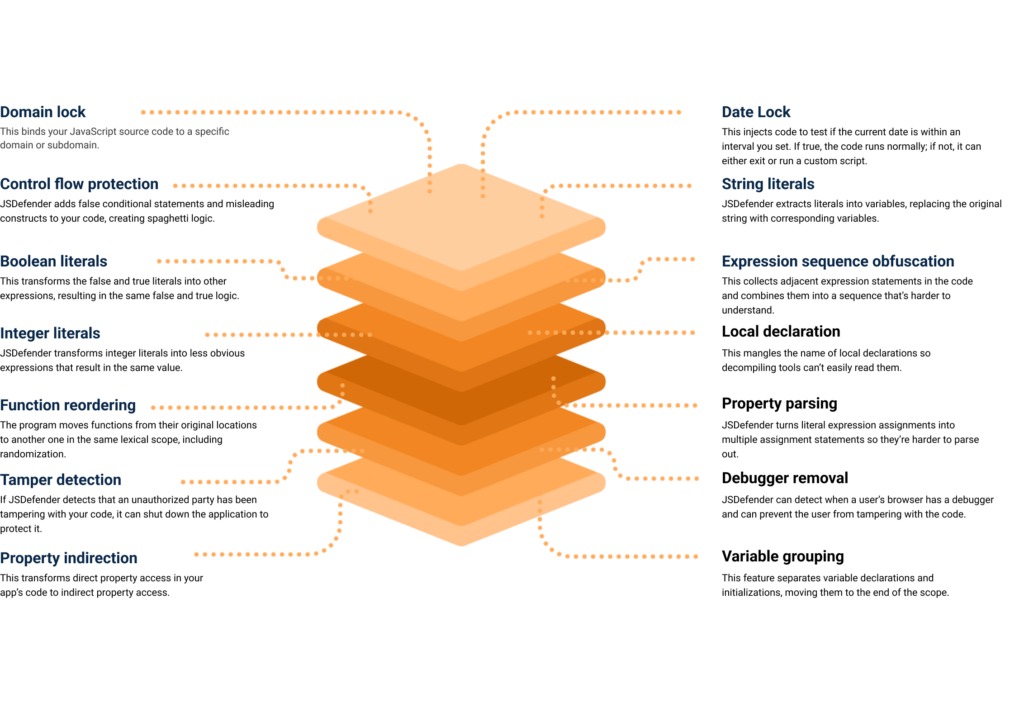
The more layers, the harder it is to break in. JSDefender stacks protections so that bypassing one technique gets attackers nowhere.
Run only where you are allowed
Domain and date locking ensure your protected code runs only in authorized environments and within defined timeframes.
runtime environment protection
Make your logic unreadable
Control flow protection, function reordering, and structural transformations make your code harder to follow, reconstruct, or exploit.
prevent, stop reverse engineering
Keep sensitive values out of reach
Literal transformations and string extraction help ensure static inspection leaves attackers empty-handed.
string encryption
Active defenses at runtime
Tamper detection and DevTools blocking work continuously to disrupt runtime inspection and block unauthorized modification.
runtime protection, checks, integrity, against modification
5 star header
Trusted for flexible JavaScript protection
The on-premise obfuscation solution offered by the range of configuration choices was highly flexible and the integration process was simple. The outcome is a tool that precisely meets the needs of developers in our position and is easy to use and customizable.
— Satyaprakash S. , Antivirus Admin
As Reviewed on G2

See how JSDefender helps teams protect JavaScript with flexible, customizable controls.

Protect your JavaScript application without breaking it

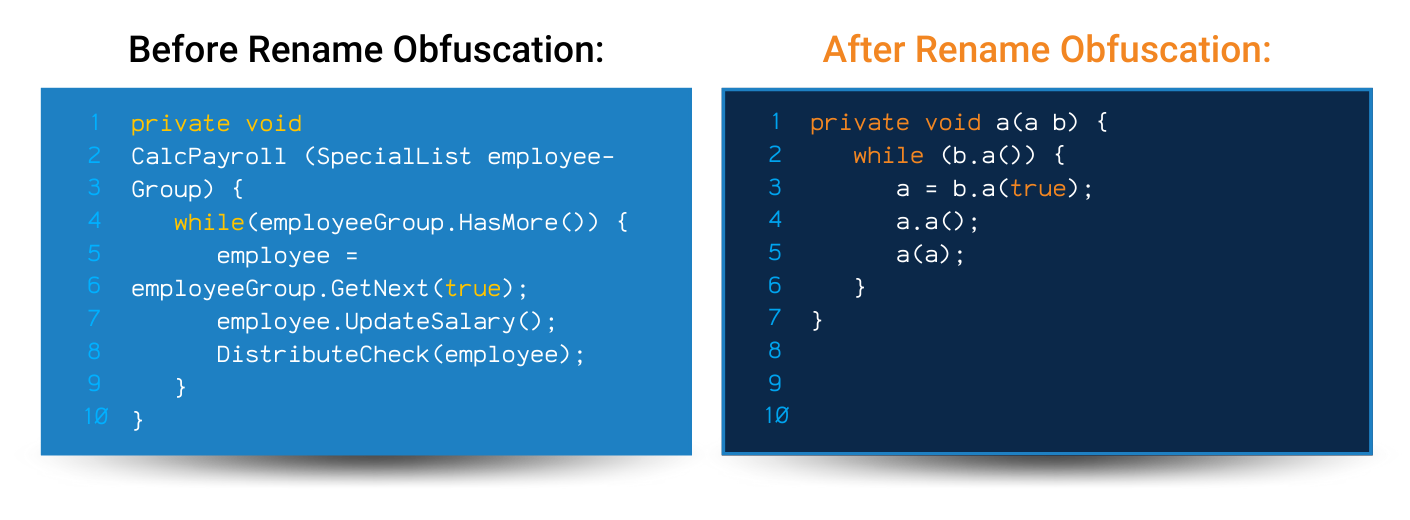
JSDefender rewrites your code into output that’s nearly impossible to reverse engineer, all while running exactly as intended.
Before
After

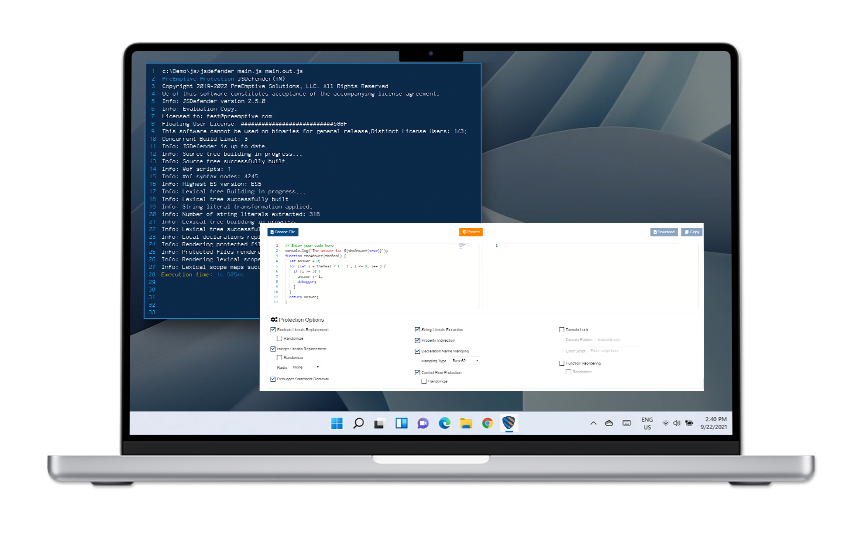
Try JSDefender on your own code

Run your sample JavaScript code through our free online obfuscator demo and see the difference yourself

Watch how JSDefender works

slash-separator
Watch a quick overview of JSDefender - from applying protection settings to generating your first obfuscated build.

Frequently Asked Questions

JavaScript obfuscation transforms readable JavaScript into code that is much harder to understand and analyze. It is designed to preserve functionality while raising the effort required to reverse engineer logic or copy IP. JSDefender protects JavaScript using multiple transformation and injection techniques.

JSDefender is designed to help prevent reverse engineering, tampering, and unauthorized debugging. Because JavaScript ships in source form, attackers can inspect code directly in browsers and runtimes. JSDefender includes techniques like DevTools blocking, debugger statement removal, and tamper-resistant protections to make these attacks harder.

Yes. JSDefender supports React, Angular, Vue, Node.js, and most major JavaScript frameworks. Many teams choose to focus protection on IP-sensitive application code rather than every third-party module, and JSDefender supports partial protection to make that possible.

Yes. JSDefender supports partial protection using inline configuration directives in the source code, combined with external configuration. This lets you apply different protections to different parts of the codebase and exclude code you do not want to protect.

You can run JSDefender from the command line using the JSDefender CLI, or integrate it into bundlers.

Domain locking locks protected code to a specified URL or domain. Date locking allows code to run within a specific date interval, which can be especially useful for trials or beta periods. Both can be configured by command line interface or configuration file.

Yes. There is a free trial for JSDefender, and there is also an online JavaScript obfuscator demo you can use to preview how protections affect code output

© 2026 PreEmptive. All Rights Reserved